
AI Translation
Translate subtitle files, compare versions, edit the result, and save final subtitles.
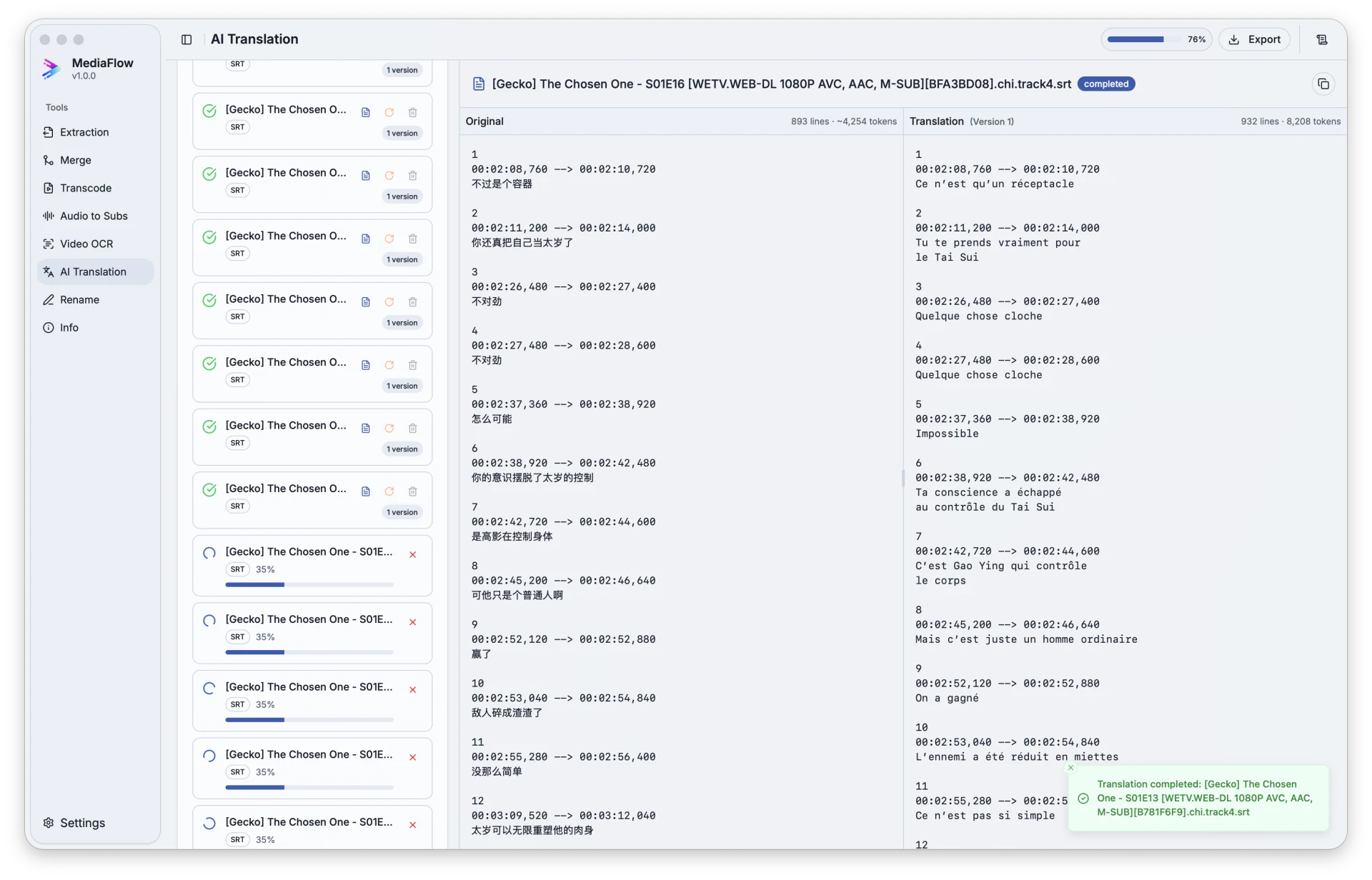
Overview
AI Translation opens subtitle files, translates them into target languages, and keeps each result as a version you can compare and edit.
Works with other tools
Some outputs can be opened again in another MediaFlow workspace.
Formats
Use this section to confirm what you can bring in and what you can save.
Import subtitle files, or use subtitles saved from Video OCR and Audio to Subs.
Exports keep the matching subtitle file type for each source file.
How to use
Follow these steps inside the desktop app. A placeholder appears when a focused screenshot is not available yet.
Import supported subtitle files or pull subtitle versions from compatible MediaFlow tools.
Select the source and target languages, then choose how many versions to create.
Run translation, compare the original and translated text, and edit the result if needed.
Export the latest, all, or selected translation versions.
Screenshots
Use these captures to recognize the workspace and key areas of the tool.