
8 focused tools for media files
The multimedia toolkit for professionals.
Extract tracks, merge subtitles, convert files, generate captions, recover burned-in text, translate subtitles, and review every output before export.
Briefs
One workspace for each media job.
Start with the task in front of you, finish it cleanly, then reuse the result in another workspace when the job continues.
Track Extraction
Pull audio, subtitle, or video tracks out of media files and save them separately.
Select tracks per file or across a whole batch.Track Merge
Build episode or season batches with subtitles and audio matched to the right videos.
AI Match suggests links while keeping existing attachments untouched.Transcode
Convert video, audio, subtitles, and metadata for delivery, archive, or editing.
AI Assist recommends settings for speed, quality, archive, or file size.Audio to Subs
Turn speech from audio or video files into subtitle files you can review and export.
Create SRT, VTT, or text versions from speech.Video OCR
Recover burned-in subtitles by reading text directly from video frames.
Set an OCR region, review versions, then export subtitles.AI Translation
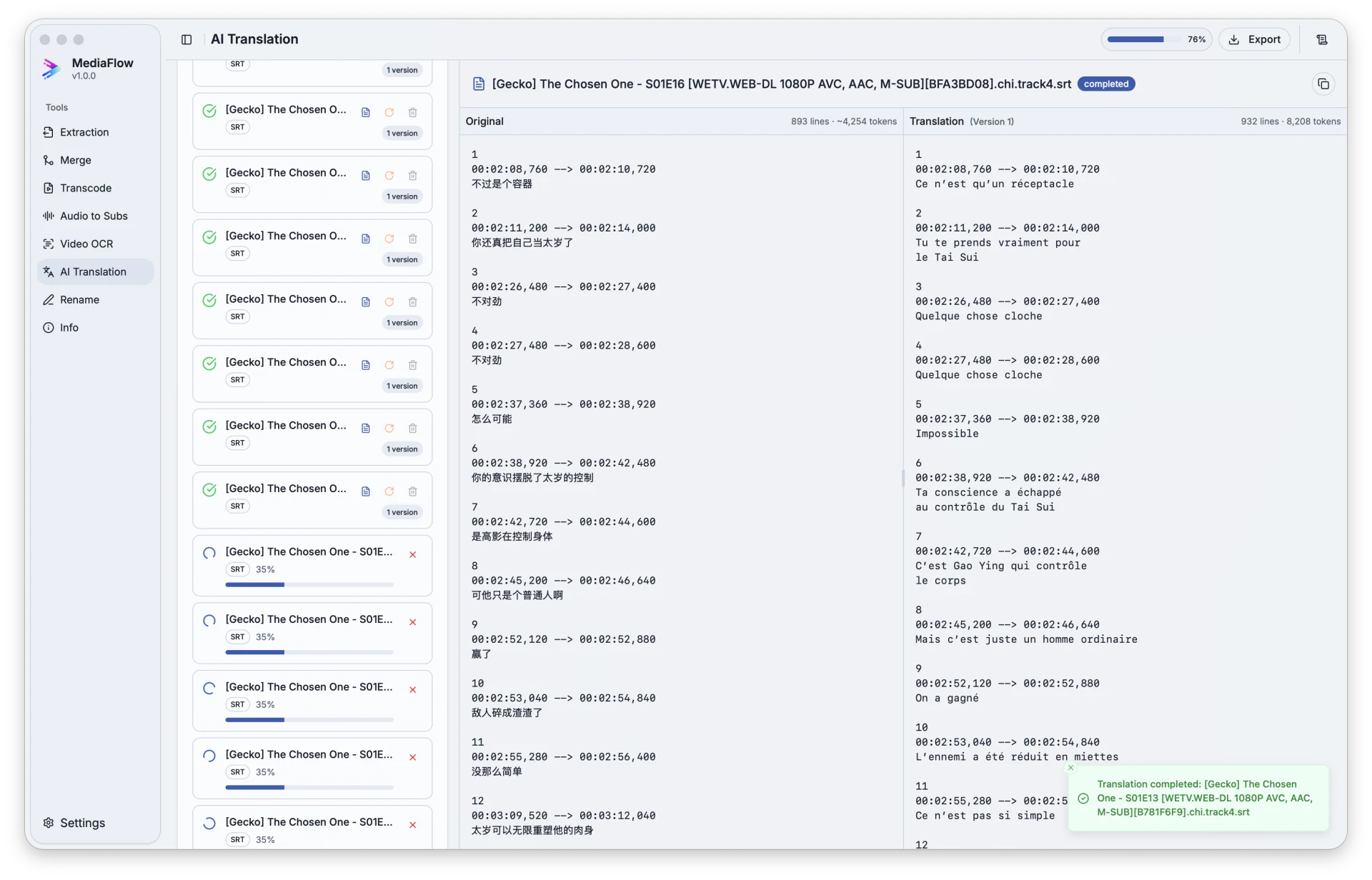
Translate subtitle files side by side, edit the result, and export final subtitles.
Keep timing and formatting while reviewing translated lines.Batch Rename
Rename or copy large batches with rule previews before anything changes on disk.
Preview every filename and detect conflicts before applying.File Information
Inspect duration, tracks, codecs, languages, size, and metadata without modifying files.
Read containers, tracks, codecs, bitrate, language, and metadata.Workflow
Choose a tool, import files, then export.
MediaFlow is organized around dedicated workspaces. Pick the job first, load the files, review the result, and export when it is ready.
Choose the right tool
Start from the workspace that matches the job: extraction, merge, transcode, subtitles, OCR, translation, rename, or file information.
Import your files
Add one file or a full batch, then keep the file list visible while you prepare the operation.
Prepare and review
Select tracks, adjust settings, generate subtitles, translate, rename, or inspect metadata with previews before anything is written.
Export the result
Save the final tracks, subtitles, converted files, renamed batch, or metadata output when the result is ready.
Assisted work
Useful help at the point of decision.
MediaFlow does not hide the controls. It helps with the tedious decisions, then lets you review and adjust before export.
- Use AI Match to link loose subtitles or audio tracks to the right videos.
- Use AI Assist to fill advanced transcode settings from your goal and size preference.
- Turn speech into editable subtitles with version history.
- Translate subtitles while keeping timing and formatting intact.
Workspaces
Clear review screens before export.
Each workspace keeps the file list, settings, progress, and export result visible enough to make batch work predictable.
Review translated subtitles
Compare the original and translated lines, check progress, then export the version you want to keep.
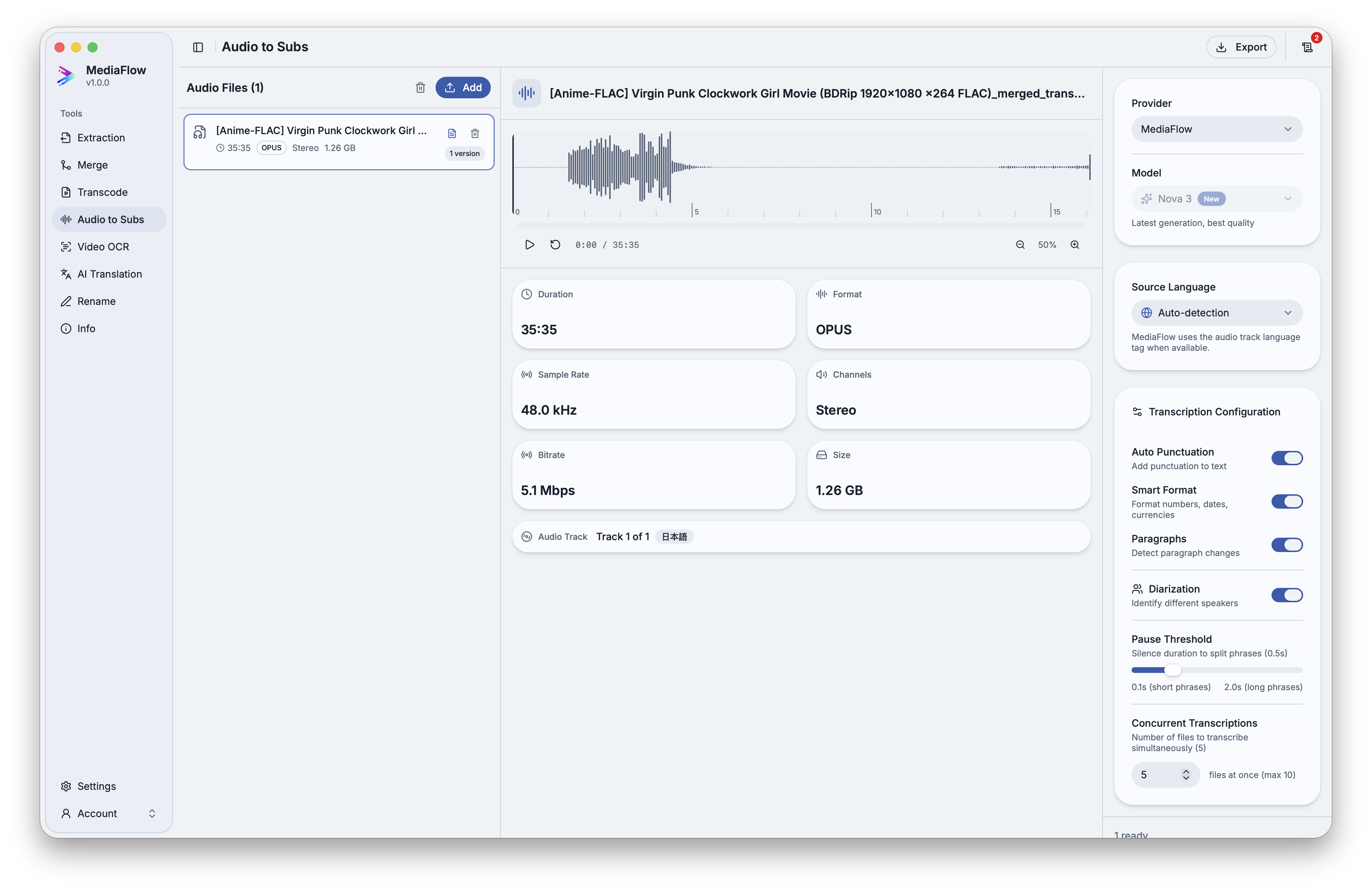
Generate subtitles from audio
Pick the source track, create a transcription, keep multiple versions, and export SRT, VTT, or text.
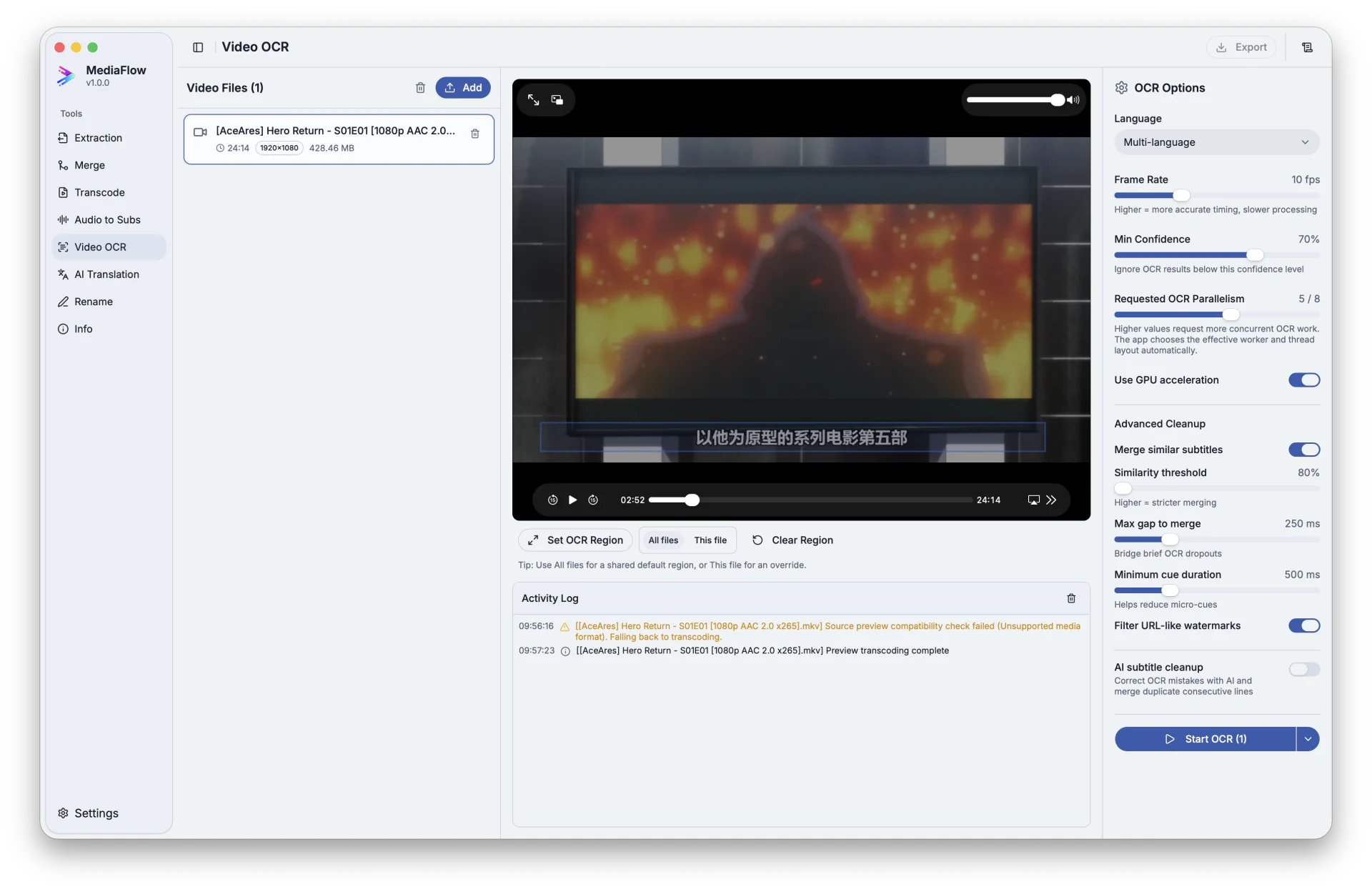
Recover burned-in subtitles
Select the text area in the frame, run OCR, review the result, and save a subtitle file.
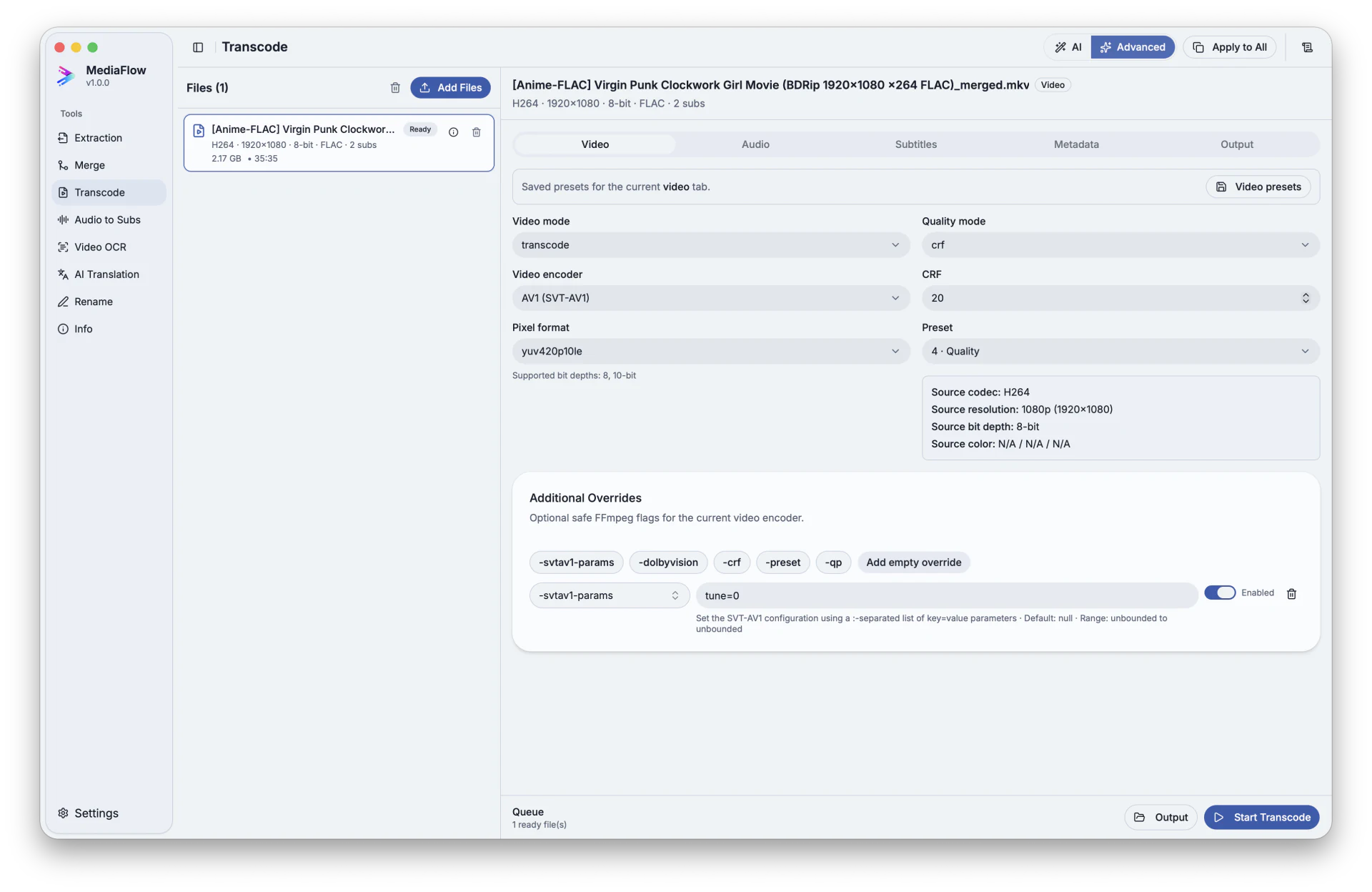
Prepare conversions safely
Choose the container, destination, video, audio, subtitles, and metadata output before starting the queue.
Download
Install the desktop app and keep media work under control.
Start with local tools, then add credits when you need matching, transcription, OCR, translation, or transcode recommendations.
FAQ
Questions professionals ask before installing.
Clear answers about files, review, credits, and the assisted tools in MediaFlow.
MediaFlow brings common media file jobs into one desktop app: extract tracks, merge extra subtitles or audio, transcode files, create subtitles, recover burned-in text, translate subtitles, rename batches, and inspect file details.
Both. You can work on one file when you need precision, or load a full batch when you need the same operation across many episodes, clips, or exports.
Yes. The tools are built around previews: tracks, filenames, transcode settings, generated subtitles, translations, and OCR results can be checked before export.
It separates audio, subtitle, or video tracks from a media file so you can save and reuse only the pieces you need.
It lets you attach external subtitles or audio tracks to the right videos, review the order and labels, then export clean media files.
Transcode prepares video and audio for delivery, archive, editing, or smaller file sizes, with clear control over container, video, audio, subtitle, and metadata settings.
Credits are used only for assisted features such as matching tracks, recommending transcode settings, generating subtitles from speech, reading burned-in text, and translating subtitles.
Yes. Generated subtitles and translations stay reviewable, editable, and versioned before you export the final file.
Video OCR can read text from a selected area of the frame, then lets you review the extracted subtitle text before saving it.
No. It speeds up repetitive work and gives useful suggestions, but the final output remains under your control before export.